League streamer chat management guide
Keep up with League of Legends stream chat during focused matches with StreamBuddy multichat, OBS dock workflows, TTS, and viewer memory.
5 min read

League of Legends is not a game that waits for you to read chat.
One glance away can cost a trade, objective, gank, teamfight, or ranked game. At the same time, viewers are there because they want to talk: about the draft, lane matchup, build, macro, tilt, or the last fight.
StreamBuddy helps League streamers keep chat and viewer memory close without rebuilding the stream setup: connect supported accounts, go live, use the private multichat workspace or OBS dock, and review missed context after the game.
Why League chat is hard mid-match
League chat gets hard because attention comes in waves.
You may have time to read during:
- Champion select.
- Loading screen.
- Early lane walkout.
- Death timer.
- Recall.
- Post-game lobby.
- Queue time.
You probably should not be reading during:
- A trade.
- Jungle pathing decisions.
- Objective setup.
- Teamfights.
- Baron or dragon calls.
- Late-game macro.
The goal is not to read every line instantly. The goal is to keep chat available when your attention has room and make missed context easy to review.
Read chat without alt-tabbing
Alt-tabbing is one of the fastest ways to break focus.
Better options:
- Put StreamBuddy on a second monitor.
- Dock StreamBuddy inside OBS.
- Use a popout or browser view beside the game.
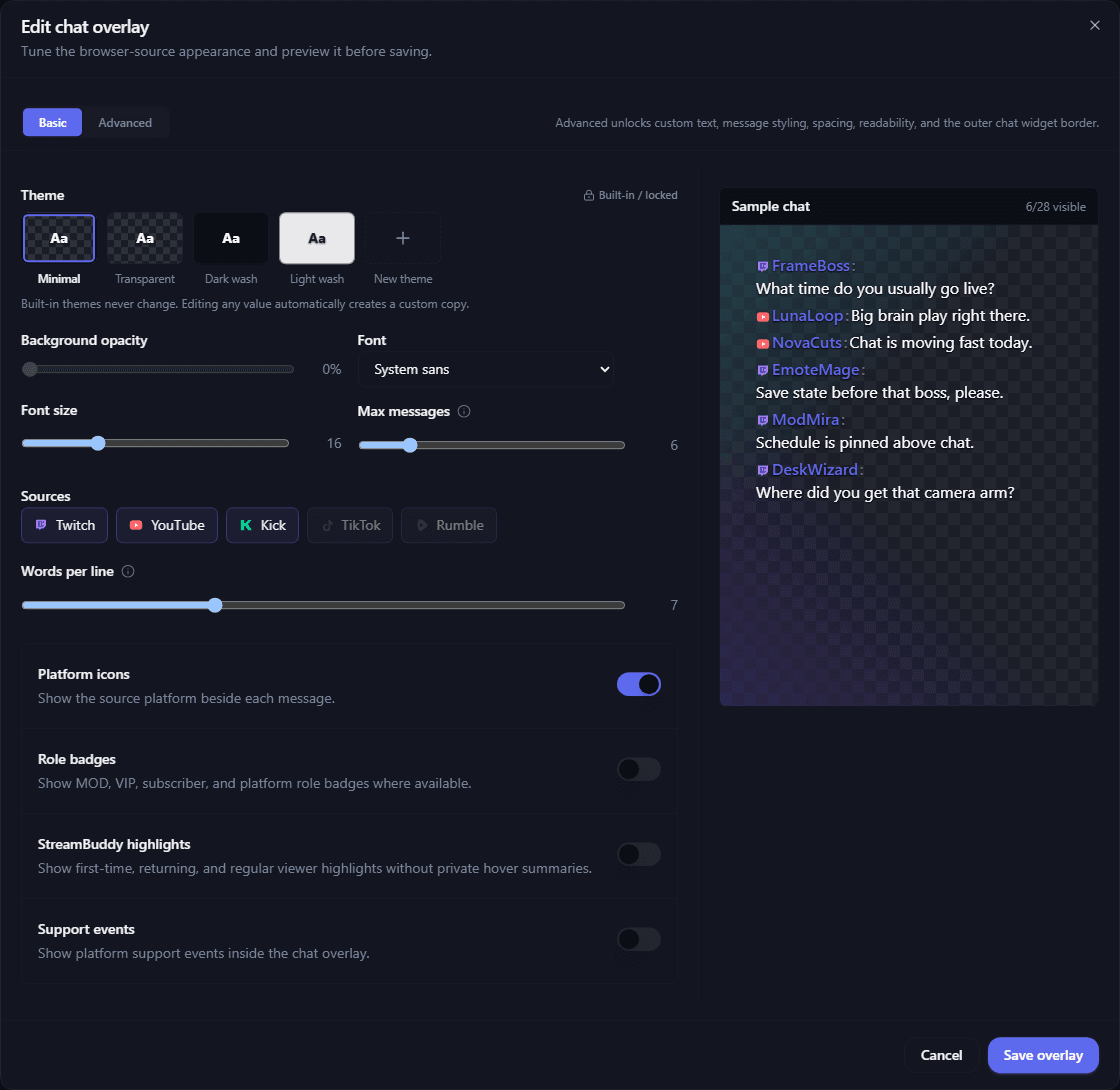
- Keep the chat font large enough for quick glances.
- Filter or slow your own attention during intense moments.
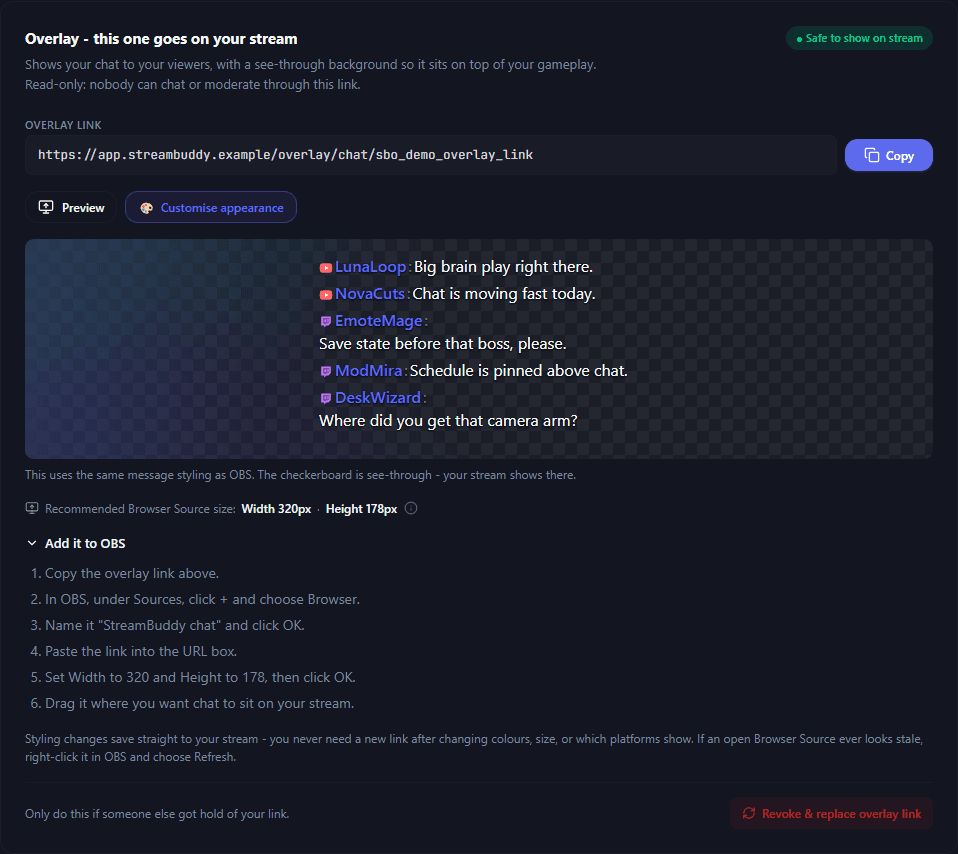
StreamBuddy's OBS multichat workflow is useful because you can keep a private dock for yourself and a display-only overlay for viewers if you want chat on stream.
If you are solving the broader gaming setup problem, read the read chat while gaming without alt-tabbing guide. The core idea is simple: keep chat beside the game, not behind it.
When to use TTS
Text-to-speech can help during League, but it should be used carefully.
Good moments for TTS:
- Queue time.
- Champion select.
- Walking back to lane.
- Low-pressure farming.
- Post-game review.
- Long stream sessions where glancing gets tiring.
Bad moments for TTS:
- Teamfights.
- Objective calls.
- Tilt-heavy games.
- Moments where chat is spamming.
- Any time spoken chat distracts from play.
StreamBuddy's multichat text-to-speech can fit into this workflow, especially for streamers who want chat awareness without constantly looking away. It reads each new chat message your feed shows, so the control that matters mid-game is the Read chat aloud button: on for queue time, off before a fight. It does not pick messages by type.
One thing to plan for: the button is in the dashboard chat and the pop-out chat window, not in the OBS dock. If your chat lives in the dock, keep the pop-out open as well when you want chat read aloud.
Remember regulars between games
League streams often build regulars around roles, champions, rank, region, or recurring jokes.
Use StreamBuddy notes and tags for context like:
- "Jungle main; always asks about pathing."
- "Likes support coaching streams."
- "Returned after clash weekend."
- "Usually watches ranked climb on YouTube."
- "Asked about ADC item build last stream."
Tags can be simple:
top lanejunglesupportranked regularcoaching questionsbuild talk
The point is not to label viewers publicly. It is to make the next reply feel informed when they come back.
The League streamer multichat story shows the same viewer-memory workflow in a creator-specific example.
Review missed messages after stream
You will miss messages during ranked games. That is normal.
After stream, review:
- Questions you missed during fights.
- First-time chatters who asked real League questions.
- Returning regulars who showed up.
- Champion or role topics that kept coming back.
- Viewers worth tagging for next stream.
- Moments where chat spiked after a play.
This post-game review is where StreamBuddy's viewer memory matters. You can save notes while the games are fresh instead of trying to remember every lane matchup, question, and regular later. Chat history is kept for the retention period you choose in your privacy settings.
Keep public and private surfaces separate
If you show chat in OBS, keep the public overlay stream-safe.
Public overlay:
- Chat messages.
- Usernames.
- Platform badges.
- Emotes where available.
- Stream-safe styling.
Private StreamBuddy workspace:
- Viewer notes.
- Tags.
- Profiles.
- Chat history.
- TTS controls.
- Moderation context.
That split lets you use viewer memory during a League stream without exposing private context to the broadcast.
Quick setup checklist
Before ranked:
- Connect your supported accounts in StreamBuddy.
- Open the private multichat workspace.
- Dock StreamBuddy in OBS or place it on a second monitor.
- Increase font size if you will only glance between waves.
- Decide when TTS should be on and when it should be off.
- Keep private notes and tags off the public overlay.
- Review missed messages after the stream.
FAQ
How do League streamers read chat during games?
Use a second monitor, OBS dock, popout chat, or a private multichat workspace. Avoid relying on alt-tabbing during focused matches.
Is TTS good for League streams?
It can be useful during lower-pressure moments, but it should be controlled. StreamBuddy reads every new message your feed shows, so switch it off before fights and objective calls and back on in queue.
Can StreamBuddy help me remember League regulars?
Yes. StreamBuddy combines supported multichat with viewer profiles, notes, tags, returning-viewer context, and post-stream review.
Does StreamBuddy restream my gameplay?
No. StreamBuddy does not touch video or audio. It works beside your current League, OBS, encoder, and stream setup as the chat and viewer-memory layer.
Keep chat beside ranked gameplay
League streamers need a chat workflow that respects focus.
Connect your supported accounts in StreamBuddy, keep multichat beside your current setup, use TTS only when it helps, and review missed messages after stream so regulars, first-time chatters, and good questions do not disappear between games.
Keep League chat close without losing focus
Use StreamBuddy beside your current League setup to read multichat, dock chat in OBS, save private notes, tag regulars, and review missed messages after stream.
Try StreamBuddy- league of legends
- gaming chat
- multichat
- text-to-speech
- obs